
CATEGORY REFERENCE

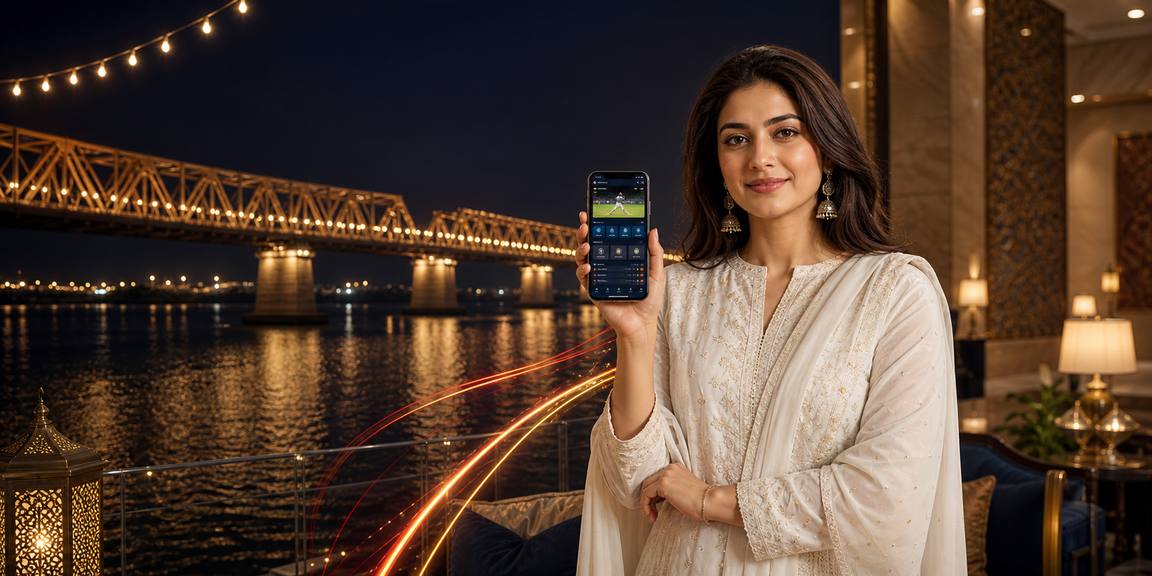
777az game app for Android and iOS

777az game puts live casino tables, slots and sportsbook markets inside one Android and iOS app for Pakistan, with quick login, push alerts and a compact APK built...

Android APKiOS accessAPK 30MBPush alertsJazzCash ready
777az game 777az game app for Android and iOS
777az game What our mobile app adds

What our mobile app adds

Our app is built for quick sessions without losing the full 777az game lobby. You can open slot rooms, join live tables, check your sports slip and return to favourites with fewer taps than a browser tab. Push alerts keep account activity visible, quick deposit lets you fund from your phone when available, and fingerprint login helps you get back in without

typing your password every time.

  • Slots on hand
  • Live table entry
  • Sports slip access
APP CONTROLS

Fast controls inside the app

The 777az game app keeps everyday controls close to your thumb. We tuned the layout for Pakistani mobile networks, older Android phones and one-handed use, so the lobby...

Biometric login Use fingerprint or face unlock on supported phones after your...
Dark mode Switch to a darker app theme for late sessions or...
Push alerts Choose account and lobby alerts that matter to you, then...
Offline lobby preview When your signal drops, the app can still show a...
Quick deposit Where available, account funding starts from the wallet area inside...
Compact updates App updates are kept lean so you do not waste...
777az game Install the app in 3 steps

Install the app in 3 steps

Start from 777azgame.com on your phone so you know the app file comes from our domain. Android may ask you to allow installs from your browser once. After installation, open the app, sign in or create your account, then set biometric access if your device supports it.

  • Download APK
  • Allow browser install
  • Open and sign in
  • Set phone access
DEVICE FIT

Phones and regions we support

We keep the app practical for common phones in Pakistan rather than building only for new flagship devices. Before you install, check storage, system version and region access so your first launch...

01

Android version

Android 8.0 or newer is recommended for current app builds.

02

iOS version

iOS access works through the supported mobile install flow.

03

RAM

3GB RAM helps live streams and game tiles load smoothly.

04

Storage

Keep at least 150MB free for the app and updates.

05

Regions

Access is intended for supported regions where local law permits.

SCREEN TOUR

Inside the 777az game app

The app opens with a tight home screen, then splits the lobby into clear areas for slots, live casino and sports. We kept account access pinned near the...

777az game mobile gaming
Live lobby preview
Quick sports slip
Account access
Slot favourites
Alert centre
App settings
APP HELP

Help when the app needs attention

If the app will not install, fails to open or logs you out after an update, contact us from the channel that...

App support chat Use in-app chat when you can still open...
Email help Email works well for install failures because you...
Install help page Our install help page explains Android permission prompts...
SECURITY CHECKS

App security you can verify

Your app account should feel controlled by you, not by a random download source. That is why we point you back to 777azgame.com for the app file, keep recovery inside account settings...

Code signing

The Android package is signed so your phone can detect whether the installed app matches our release chain. If the signature warning looks unusual, remove the file and download again.

Direct source

We do not ask you to install copies from random chat groups or third-party app stores. Start at 777azgame.com so the app file and update path stay clear.

Recovery flow

Account recovery starts from your login screen or profile checks, not from someone asking for your password. Keep your phone number and email current inside the app.

Device checks

New device access can trigger extra verification so we know the login fits your account history. This helps protect your balance and keeps suspicious app sessions visible.

Session control

You can log out from the app menu whenever you finish. On shared phones, avoid saving biometric access and use manual login for stronger personal control.

Update prompts

When an update is required, the app tells you before you enter the lobby. We explain the build change in simple wording so you know why the update matters.

App experience beside mobile browser

The mobile browser is useful when you want quick access without installing anything, but the app gives 777az game more room to behave like a phone-first lobby. If...

Launch speed
The app opens from your home screen and returns to familiar lobby areas faster. A browser depends on tabs, cache and address entry, which can slow quick sessions.
Login flow
Biometric login is available on supported app devices after setup. Browser access may still ask for manual details more often, especially after cache clearing.
Screen space
The app removes browser address bars and extra controls, leaving more space for game tiles, live table lists and account buttons within the same phone display.
Alerts
Push alerts belong to the app, so you can choose mobile reminders from one settings area. Browser messages are easier to miss or block by accident.
Updates
App updates arrive through a clear version prompt from our domain. Browser changes happen silently, which is convenient but gives you fewer clues about layout changes.
Backup access
Keep both options available if your phone storage is tight or you change devices often. The same account can be reached through supported mobile access paths.
MOBILE HIGHLIGHTS

Small touches that make mobile smoother

Small app details matter when you are using mobile data, switching between rooms or checking your account in short breaks. We focus on touches that save taps rather...

One-thumb menu Main areas sit close to the bottom of the screen...
Recent paths The app makes recently opened categories easier to revisit. If...
Clean game cards Game tiles are trimmed for phone screens with readable names...
Low data care Static lobby areas are kept lighter than live streams, so...
Profile shortcut Account settings, alerts, verification checks and security controls stay close...
Local wording We write the app flow in clear Pakistani English, with...

777az game app questions

Yes. Open 777azgame.com/app on your Android phone and use the APK link shown there. If Android asks for install permission, allow it for your browser, finish setup, then open the app.

iPhone access depends on the current supported mobile flow for your region. Start from 777azgame.com/app on Safari, follow the on-screen steps, and keep your iOS version updated for smoother loading.

No. Use the same 777az game account you use on mobile browser. After the first login, supported phones can enable fingerprint or face unlock for quicker return access.

Use 777azgame.com/app only. Avoid APK files shared through chat links or unknown stores because they may not match our signed build, update path or account recovery flow.

Check Android version, storage space and whether install permission is enabled for your browser. If it still fails, send support your phone model, system version and a screenshot of the message.

Yes, if you allow push alerts during setup or enable them later in settings. You can adjust app alerts so account and lobby messages stay useful rather than noisy.

Yes. Your account can be reached through the app or supported mobile browser access where local law permits. Use the app for frequent phone sessions and browser access as a backup.